The best fitness tracker for a beginner is usually the simplest device that accurately covers your main goal, works with your phone, and is comfortable enough to wear consistently. For most people, that means prioritizing step and workout tracking, readable progress summaries, dependable battery life, and an easy companion app over a long list of advanced health features.
Fitness trackers can make activity easier to notice and organize, but they are not a replacement for a training plan or medical advice. Research suggests that wearable trackers can produce modest improvements in physical activity, although results vary and the device works best when you use its feedback to make specific changes. This guide explains how to compare the best fitness trackers for beginners reviews, avoid misleading features, and choose a practical starting point.
1. Decide what you want the tracker to change
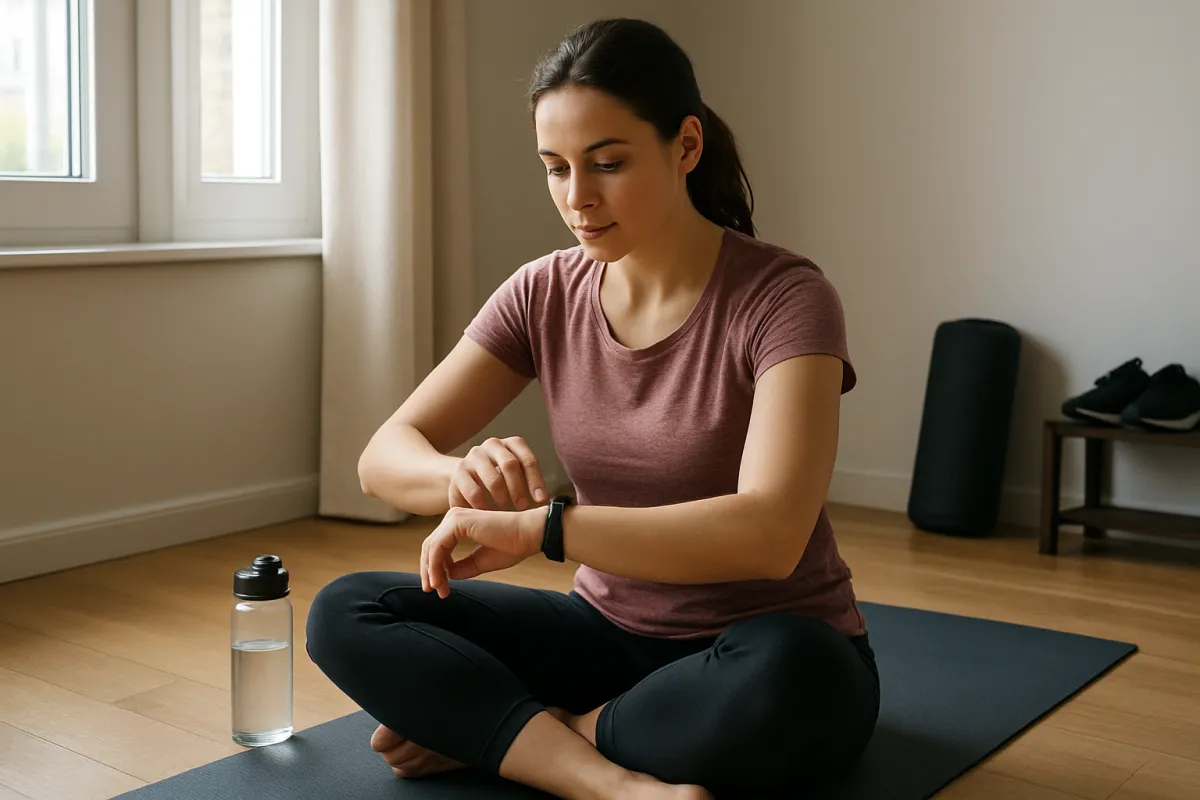
Start with the behavior you want to support rather than the device category. A tracker can count steps, record workouts, estimate heart rate, show sleep patterns, and remind you to move, but extra data is not automatically useful. Beginners generally benefit more from a small number of clear signals than from a crowded dashboard.
Common beginner goals
- Move more during the day: Look for dependable step counting, hourly movement reminders, and a simple daily summary.
- Build a walking habit: Prioritize comfort, battery life, distance tracking, and optional GPS support.
- Start structured workouts: Choose a device with workout modes, heart-rate recording, and an app that shows trends rather than isolated numbers.
- Monitor sleep routines: Focus on a comfortable design, overnight battery life, and clear sleep-duration reports.
- Replace a basic watch: A smartwatch may be more suitable if you want notifications, alarms, timers, safety features, or phone integration.
The evidence base supports using trackers as behavior-support tools, not as guaranteed weight-loss devices. An umbrella review of systematic reviews found improvements in physical activity, while effects on several health outcomes were smaller or inconsistent. Treat the tracker as a feedback system: it can show what happened and encourage a next action, but it cannot make the decision for you.
2. Choose between a fitness band, smartwatch, and phone-only setup
There is no single best type of fitness tracker for every beginner. The right choice depends on how often you want to interact with the device and whether you need features beyond exercise monitoring.
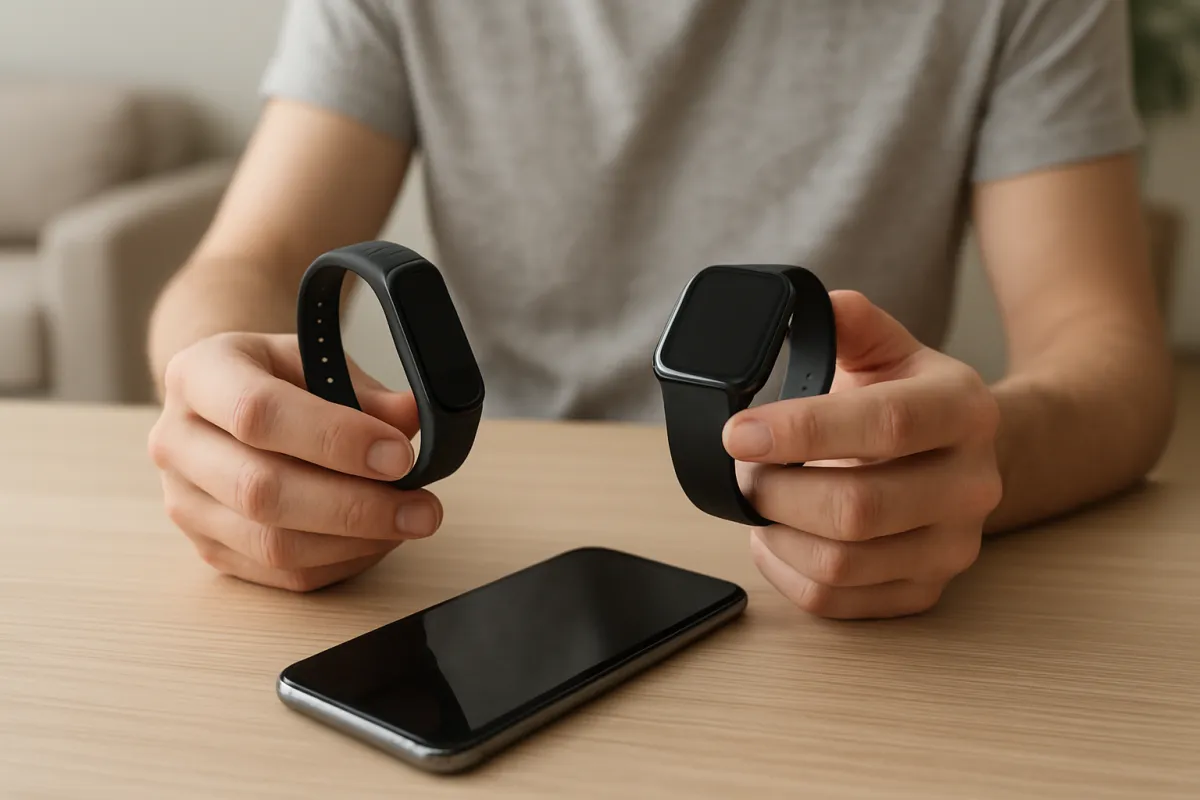
Fitness bands are usually compact and focused on activity, sleep, and basic notifications. They can be a good fit when you want fewer distractions, longer battery life, or a lower-profile design. Their smaller screens may make workout controls and detailed data less convenient.
Smartwatches typically offer larger displays, built-in apps, GPS on some models, phone notifications, and more detailed workout tools. They may be easier to use during exercise, but they can cost more, require more frequent charging, and include features you never use.
A phone-only setup can be enough if your main goal is occasional walking or running. For example, the Apple Health app can automatically count steps and walking or running distance on compatible Apple devices. The limitation is that you may not carry your phone during every activity, and a phone does not provide the same at-a-glance prompts as a wrist-worn tracker.
Use this simple rule:
- Choose a fitness band for basic tracking, discreet wear, and fewer distractions.
- Choose a smartwatch for GPS, workout controls, notifications, and broader daily use.
- Choose a phone-only approach if you want to test whether tracking helps before buying another device.
3. Compare the features that matter most for beginners
Manufacturers often list many measurements, but feature names do not tell you how useful or dependable each measurement will be. Look for features that match your routine and understand what the device is actually estimating.
Use the following comparison when reading best fitness trackers for beginners reviews:
| Feature | What to look for | Why it helps beginners | Warning sign |
|---|---|---|---|
| Step counting | Clear daily and weekly summaries | Provides an understandable starting measure | Unclear definitions or no way to review trends |
| Workout tracking | Walking, running, cycling, strength, and general workout modes | Helps you record different activities without guesswork | Many modes but little explanation of the results |
| Heart-rate tracking | Continuous or workout-based readings with stated limitations | Can help compare effort across similar sessions | Marketing that presents consumer readings as medical diagnosis |
| GPS | Built-in GPS or reliable phone-connected GPS | Useful for outdoor distance, route, and pace | GPS is advertised but only available through a connected phone |
| Battery life | A realistic estimate for your selected features | Frequent wear improves the value of trend data | Battery claims exclude GPS, notifications, or frequent workouts |
| App quality | Readable charts, export options, and simple goal settings | Makes the data easier to turn into actions | Important insights are hidden behind unclear menus or a subscription |
| Phone compatibility | Support for your current operating system and phone model | Prevents setup and syncing problems | Compatibility depends on an app or feature not available in your region |
Step counting and distance
Steps are useful because they are easy to understand, but they are not a complete measure of fitness. Arm movement, walking speed, terrain, device position, and carrying a phone or bag can affect readings. Use the same device and similar measurement conditions when comparing your own days.
Heart-rate data
Wrist-based heart-rate readings can be useful for observing broad effort trends during steady activities. They are less dependable during irregular movement, strength training, poor fit, cold conditions, or activities that involve repeated wrist flexion. Apple’s guidance, for example, notes that motion and skin perfusion can affect readings and that some activities produce more consistent results than others.
Do not use a consumer tracker to diagnose a health condition or make medication decisions. If you have symptoms such as chest pain, fainting, severe shortness of breath, or an unusually persistent heart-rate concern, seek appropriate medical care rather than relying on an app notification.
Sleep tracking
Sleep features may help you notice bedtime and wake-time patterns, but sleep-stage labels should not be treated as precise clinical measurements. Comfort is especially important here. A tracker that feels bulky, causes skin irritation, or needs charging overnight may provide less useful information than a simpler device you can wear consistently.
4. Check accuracy, comfort, and data quality before buying
Accuracy is not one universal number. A tracker may perform reasonably for walking but less consistently for cycling, weight training, interval exercise, or everyday movements. Research reviews also note variation in how wearable data is collected, defined, and reported, so comparisons between devices are not always direct.
Fit affects both comfort and readings. The band should be secure without being painfully tight, and the sensor should maintain contact with the skin during normal movement. Follow the manufacturer’s placement guidance, especially for workouts and sleep.
Think about data quality in practical terms:
- Can you understand what the daily score means?
- Can you see weekly patterns instead of only today’s result?
- Does the app distinguish between estimated, manually entered, and automatically detected data?
- Can you turn off goals or alerts that create unnecessary pressure?
- Does the device continue recording when your phone is not nearby?
A tracker should make your routine clearer, not more confusing. If two models offer similar core measurements, choose the one with the more comfortable design and easier-to-read app.
5. Consider battery life, charging, and ownership costs
Battery life is a practical feature because gaps in wear time create gaps in your personal trend data. Manufacturers’ estimates often depend on settings such as screen brightness, GPS use, notifications, and workout frequency. Compare the expected battery performance under the way you intend to use the device, not only the headline claim.
Also check the full ownership model before purchase. Some devices provide basic tracking without a recurring fee, while others may place advanced reports, coaching, historical analysis, or extra content behind a subscription. A subscription is not automatically poor value, but it should be part of your comparison.
Other costs can include replacement bands, proprietary chargers, screen protectors, cellular service, and a phone upgrade if the device requires newer software. If you are buying your first tracker, a model with fewer ongoing requirements may be easier to evaluate fairly.
6. Match the tracker to your exercise routine
Your preferred activity should influence the buying decision more than a generic feature count. A beginner who walks outdoors has different requirements from someone starting indoor strength training or cycling.
For walking and gradual cardio
Prioritize step tracking, distance, pace, GPS options, comfort, and battery life. You may also benefit from simple reminders and adjustable goals. If you are adding resistance to walks, review our guide to choosing ankle weights for walking safely rather than assuming a tracker can judge whether the added load is appropriate.
For strength training
A tracker can record workout duration, heart-rate trends, and general activity, but it may not reliably identify every set, repetition, or exercise. Beginners should not allow an automatically generated calorie estimate to determine how much they eat or how hard they train.
For a broader training plan, you may find our guide on improving push-up strength at home more actionable than relying on a readiness score alone. A tracker is most useful when it supports a clear progression plan.
For indoor cardio
Check whether the tracker supports the equipment and workout modes you use. If you train at home, compare the device with the equipment itself. Our reviews of exercise bikes and rowing machines explain why machine-based metrics and wearable estimates may serve different purposes.
7. Understand privacy, sharing, and health-data settings
Fitness trackers collect personal information, which may include movement, sleep, location, heart rate, and manually entered health details. Before setup, read the privacy controls and decide which permissions are necessary for your goals.
- Review which apps can access your activity and health data.
- Turn off location tracking when route recording is not needed.
- Use a strong account password and enable two-step verification where available.
- Check whether data is shared with third-party services or social features.
- Be cautious when posting live routes or detailed schedules publicly.
Do not assume that a fitness dashboard is private simply because the device is worn on your wrist. The app account, connected phone, cloud storage, and third-party integrations all matter.
8. Avoid these common buying mistakes
Buying the most advanced model by default
More sensors and exercise modes can add complexity without improving your routine. If you only need steps and walks, paying for advanced features may reduce value rather than increase it.
Choosing based on calorie estimates
Calories burned are estimates affected by body information, activity type, movement, and device algorithms. Use them as rough context, not as an exact allowance for eating or proof that a workout was effective.

Ignoring phone compatibility
Check the required operating system, account requirements, app availability, and whether the features you want work with your phone. Compatibility can be more important than the device’s sensor list.
Forgetting charging habits
A tracker that must be removed during the time you most want to monitor may not suit you. Decide whether you prefer short daily charging, a weekly charging routine, or a device with replaceable or extended battery options.
Setting aggressive goals immediately
Large targets can create discouragement, especially if your current activity level is low. Start with a repeatable baseline, then adjust gradually as your routine becomes consistent.
9. What if the tracker seems wrong?
First, check the fit, profile information, permissions, and firmware or app updates. Confirm that the activity mode is appropriate and that the device is worn in the recommended position.
If step counts seem unusually high, consider repetitive hand movements, household tasks, or loose wearing. If workout heart rate appears inconsistent, check whether the band is secure and whether the activity involves irregular wrist movement. For outdoor distance problems, compare phone-connected and built-in GPS behavior in an open area.
When a reading conflicts with how you feel, do not ignore important symptoms because the tracker reports a normal value. Wearables can miss, misclassify, or misinterpret events. Seek professional advice for concerning symptoms or persistent health questions.
10. Beginner fitness tracker checklist
Before buying, use this short checklist:
- My main goal is clearly defined.
- The device works with my current phone.
- The screen, buttons, and app look easy for me to use.
- The band or watch should be comfortable during my main activity and sleep, if needed.
- The battery routine fits my schedule.
- I know which features are free and which require a subscription.
- I understand that heart rate, calories, sleep stages, and readiness scores are estimates.
- The device has the workout modes or GPS support I actually need.
- I have reviewed privacy permissions and data-sharing settings.
- I can name one realistic action I will take when the tracker shows a low-activity day.
11. Next actions after you choose
Set up the tracker with accurate personal information, then wear it for a short observation period before changing your goals. Look for patterns in your normal schedule: when you move most, when you sit for long periods, and which activities are consistently missed.
After that, choose one manageable adjustment. You might add a short walk after lunch, stand during a regular break, or schedule two beginner workouts each week. Review progress weekly instead of reacting to every daily fluctuation.
If you are comparing the tracker with other home-fitness tools, consider the role of the whole routine. A wearable can support cardio equipment, strength progressions, and recovery habits, while resources such as foam rolling versus stretching address different parts of training.
Frequently asked questions
Are fitness trackers worth it for beginners?
They can be worthwhile if seeing activity information helps you take a specific action. Evidence suggests wearable-based interventions can increase physical activity for some people, but the benefit is not guaranteed and does not make the tracker a substitute for exercise programming.
Should a beginner buy a smartwatch or fitness band?
Choose a fitness band if you want basic tracking, long battery life, and fewer distractions. Choose a smartwatch if you want GPS, a larger display, notifications, or more extensive workout and phone features.
Do beginners need GPS?
GPS is useful for outdoor walking, running, hiking, and cycling when you want route, pace, or distance data. It is less important if you exercise indoors or usually carry your phone.
Can a fitness tracker measure fitness accurately?
It can provide useful estimates and trends, but accuracy varies by metric, activity, device fit, and conditions. Step counts during regular walking are generally easier to interpret than calorie burn, sleep stages, or heart rate during irregular movement.
What is the best way to use a fitness tracker?
Use it to observe patterns and prompt small, repeatable actions. Avoid treating every score as a verdict on your health, and adjust goals based on your real routine rather than chasing a number that creates unnecessary pressure.
Final verdict: choose the simplest tracker that supports your next habit
The best fitness trackers for beginners reviews should help you compare usefulness, not just specifications. A basic band is often enough for steps, walks, sleep routines, and reminders; a smartwatch makes more sense when GPS, notifications, workout controls, and phone integration are central to your day.
Choose the model that matches your activity, fits comfortably, works with your phone, and presents data you can act on. If a tracker helps you notice your behavior and make one sustainable improvement at a time, it is doing its job; if it overwhelms you with estimates and alerts, a simpler option may be the better choice.