The best walking pad for a home office is not necessarily the fastest or most feature-rich model. Choose one that fits your desk, supports your weight with a safety margin, runs quietly enough for calls, and can be stored without becoming a permanent obstacle.
This walking pad under desk review for home offices is based on manufacturer specifications, workplace-ergonomics guidance, and health information from established medical sources rather than first-hand product testing. It focuses on the buying decisions that are most likely to affect everyday use: walking space, noise, desk height, stability, controls, storage, and safety.
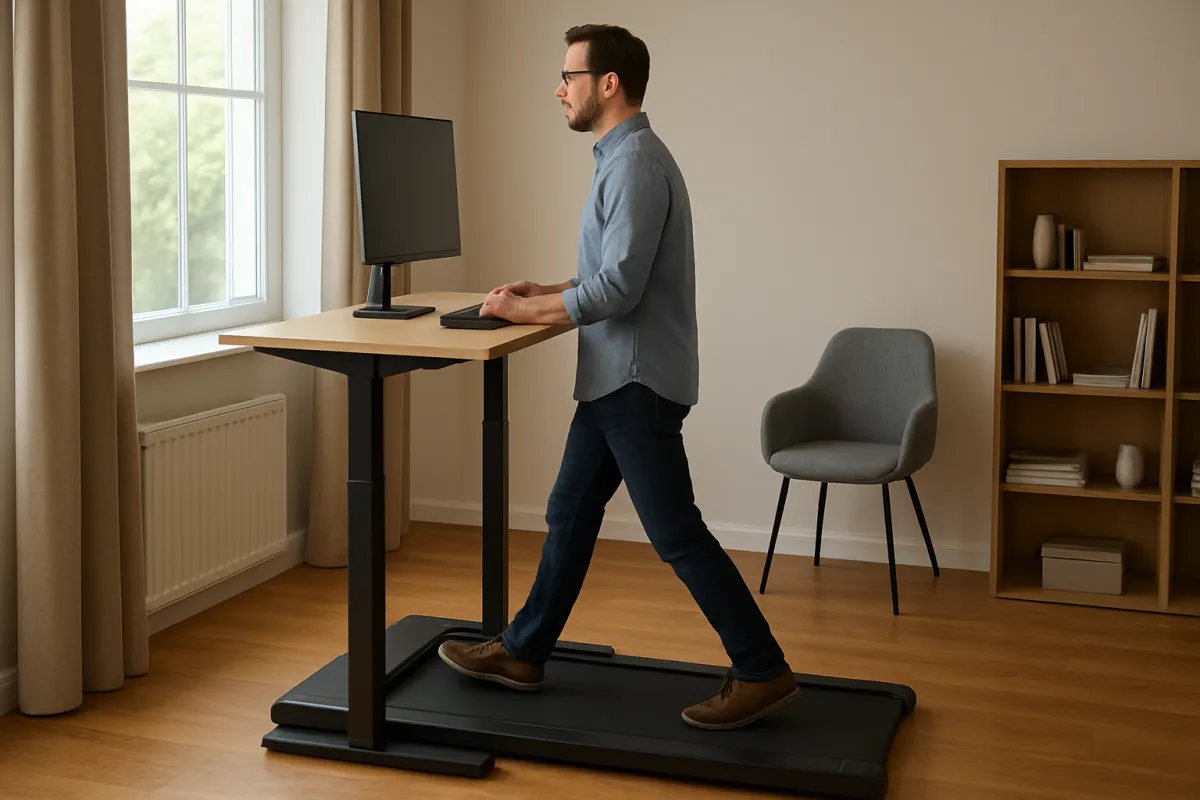
1. Decide whether a walking pad suits your workday
A walking pad is a simplified treadmill designed for light walking, often beneath a standing desk. Unlike a full treadmill, it usually has fewer training features, little or no incline, and a lower maximum speed. That makes it practical for movement during low-focus tasks, but less suitable for running or demanding computer work.
The main potential benefit is convenience. Cleveland Clinic describes walking pads as a way to add slow movement during desk time, while also noting that they are not a replacement for structured exercise. They may work well for email, reading, calls, or routine administration; typing-intensive work, spreadsheets, and precision tasks may require you to slow down or stop.
Before comparing models, ask yourself:
- Will you use it during work, or mainly before and after work?
- Does your desk allow enough height adjustment for comfortable walking?
- Do you have space to leave the pad in place or store it safely?
- Are you willing to begin with short, slow sessions rather than walking all day?
2. Check the walking surface, dimensions, and weight rating
Walking pads are compact by design, but compact does not always mean comfortable. A narrow or short belt can make you shorten your stride, look down, or repeatedly correct your position. Taller users and people with longer strides should pay particular attention to both belt length and width.
Use the manufacturer’s stated walking area rather than the machine’s outside dimensions. As a practical starting point, a belt around 16 inches wide is more forgiving than an especially narrow platform, although your stride, height, and confidence matter more than one universal number.
Also compare the stated maximum user weight with your actual body weight. Treat the rating as a limit, not a target. A reasonable margin may help the machine feel more stable and reduce the likelihood that you are operating at the edge of its design capacity.
For example, the official WalkingPad C2 page lists a 47.2-by-15.8-inch walking area, a 220-pound maximum user weight, and a 1-to-4-mph speed range. Those figures are useful reference points, but they should not be treated as a recommendation for every buyer. Always verify the current specification for the exact model and region before ordering.
Use this comparison when evaluating a walking pad under desk for home offices:
| What to look for | Why it matters | Warning sign |
|---|---|---|
| Clear belt dimensions | Helps you judge stride comfort and foot-placement tolerance | The seller gives only the machine’s outer size |
| Weight rating with margin | Leaves room for more stable, less strained operation | Your weight is close to the published maximum |
| Flat, stable deck | Supports predictable walking under a desk | Noticeable rocking, belt hesitation, or movement on the floor |
| Low starting speed | Makes it easier to learn controls safely | The machine starts too quickly or has poor speed adjustment |
| Manageable storage dimensions | Improves the chance that you will actually use it | It must be lifted awkwardly or blocks a walkway |
3. Match the pad to your desk and posture
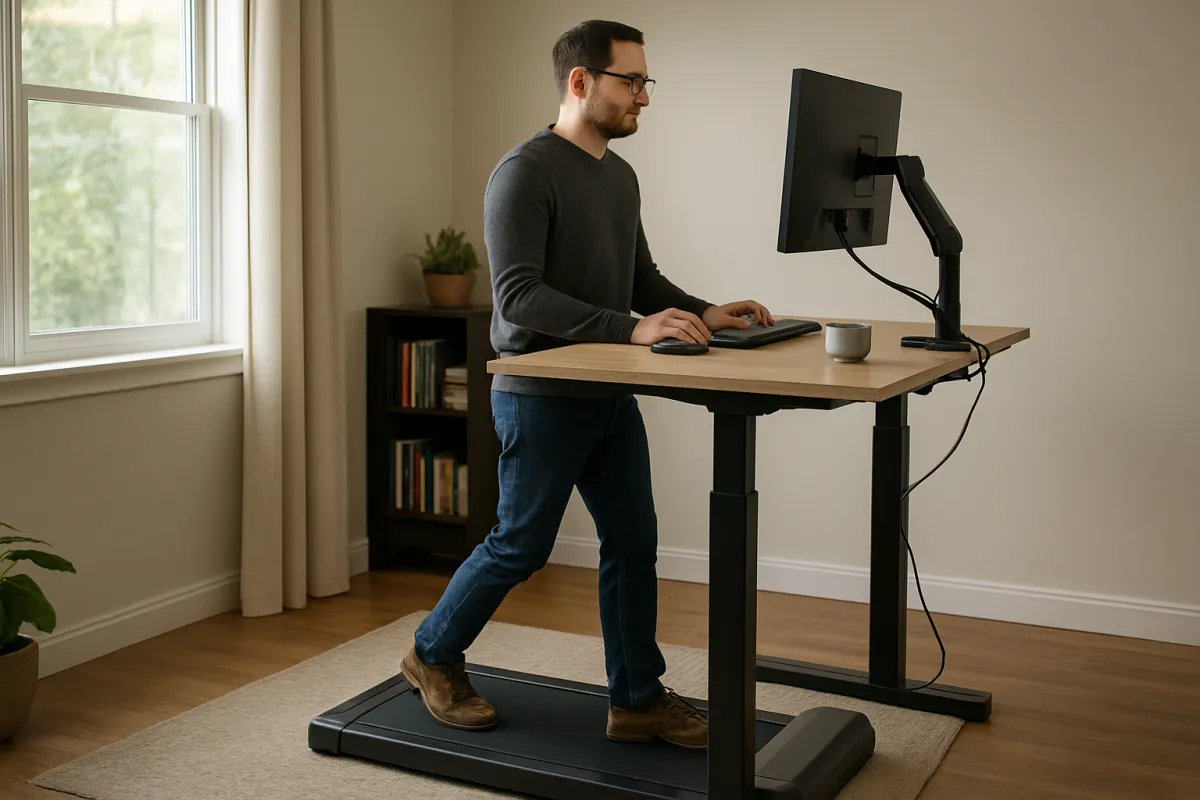
A walking pad does not automatically create an ergonomic workstation. OSHA recommends adjusting computer workstations so the head, neck, arms, wrists, and hands can remain in more neutral positions. A desk that works while seated may be too low once you are standing and walking.
Check your setup before buying:
- Your monitor should be high enough that you are not constantly bending your neck.
- Your keyboard and mouse should be close enough to avoid reaching forward.
- Your elbows should remain relaxed rather than lifted toward the desk.
- Your feet need clear space, with no chair legs, cables, or storage boxes in the walking path.
An adjustable standing desk is usually easier to pair with a walking pad than a fixed-height desk. If you need to raise your monitor with books or improvised supports, make sure the arrangement is stable and does not create a tipping hazard.
4. Evaluate noise, controls, and daily convenience
Noise is not just a comfort issue. A walking pad that sounds acceptable in an empty room may interfere with a microphone, nearby family members, or colleagues on a video call. Manufacturer descriptions often use terms such as “quiet” or “silent,” but those labels are not standardized measurements.
Look for a return policy that gives you a realistic way to assess noise in your own room. Floor type, walking speed, user weight, belt lubrication, and building construction can all change the sound you hear.
Controls should be simple enough that you can slow down or stop without searching for a phone app. A handheld remote is common, but check whether it includes speed adjustment and a stop function. If the product has an emergency clip, magnetic key, or other safety mechanism, learn how it works before your first session.
Storage also affects value. Some pads have transport wheels or foldable sections. Folding can be useful in a small apartment, but it may add hinges, seams, or extra setup steps. Measure doorways, closet space, and the clearance beneath your desk rather than relying on promotional photographs.
5. Understand the limitations and safer-use habits
Walking while working divides your attention. It can be a poor fit for tasks that require rapid mouse movements, detailed design work, complex calculations, or frequent changes in posture. You may also experience calf, foot, or lower-back fatigue if you begin with long sessions.
Consumer Reports has highlighted safety concerns around under-desk treadmills, including balance and distraction risks. Start at the lowest comfortable speed, hold the desk only for initial balance rather than leaning heavily on it, and keep the area around the belt free of pets, children, cords, and loose rugs.
Stop if you feel pain, dizziness, unusual shortness of breath, or loss of balance. If you have a medical condition, recent injury, significant joint problems, or uncertainty about exercise safety, ask a qualified healthcare professional before using a treadmill desk.
6. Compare alternatives before committing
A standing desk without a walking pad
This is the simpler option if your main goal is to break up sitting. You can alternate standing, seated work, and short walking breaks without adding motor noise or another moving surface.
A conventional treadmill
Choose a full treadmill if you want running, incline training, handrails, or more structured workouts. It will usually require more space and may be less convenient to place beneath a desk.
Outdoor walking or scheduled movement breaks
A short outdoor walk can provide movement without equipment and may be easier to separate from focused work. If you struggle to stay consistent, schedule breaks on your calendar before spending money on a machine.
For broader home-fitness planning, you can also compare the ideas in HIIT versus steady-state cardio and stair climbers versus treadmills.
7. Avoid these common buying mistakes
- Choosing by maximum speed when you mainly need slow, steady walking.
- Ignoring the walking belt because the machine’s outside dimensions look compact.
- Assuming “quiet” means suitable for every video-call environment.
- Using a fixed-height desk that forces your shoulders, wrists, or neck into awkward positions.
- Buying without checking return terms, warranty coverage, replacement-part availability, and local voltage requirements.
- Expecting a walking pad to replace resistance training or dedicated cardio sessions.
8. What if the setup is uncomfortable?
If your neck or shoulders hurt, stop walking and adjust monitor height, desk height, or keyboard position before trying again. If your feet feel crowded, reduce speed and reassess the belt dimensions; discomfort is not a sign that you simply need more practice.
If the pad drifts, vibrates, or makes a new scraping sound, stop using it until you check the floor, belt alignment, and maintenance instructions. Do not continue operating a machine that appears mechanically unsafe.
Walking pad buying checklist
- Measure the available floor and storage space.
- Compare the actual walking-belt dimensions.
- Confirm the user-weight limit and leave a sensible margin.
- Check minimum speed, remote controls, and emergency-stop features.
- Test whether your desk can support neutral monitor and keyboard positions.
- Read the return policy, warranty, maintenance requirements, and delivery conditions.
- Plan short, low-speed sessions and separate focused tasks from walking tasks.
Next actions before you order
Measure your desk and floor first, then write down the tasks you would realistically perform while walking. Compare two or three models using belt size, stability, control design, storage, and after-sales terms rather than speed alone.
If you already own a fitness tracker, use it to observe whether the pad helps you move more consistently, but do not treat step counts as the only measure of success. Your comfort, work quality, and ability to use the equipment safely matter just as much.
Conditional verdict
A walking pad under desk for home offices can be a sensible purchase if you spend long periods seated, have a compatible adjustable desk, and mainly want light movement during suitable work tasks. It is less convincing if your desk cannot be adjusted, your room is too crowded, or you expect a compact pad to deliver full treadmill workouts.
In short, choose the model that makes safe, repeatable walking easy—not the one with the most impressive headline specification. A basic, stable pad used consistently can be more useful than an advanced machine that disrupts your posture, concentration, or living space.
Evidence basis: Product specifications were checked against official manufacturer information where cited. Ergonomic recommendations reflect OSHA computer-workstation guidance, while general walking-pad benefits and limitations were informed by Cleveland Clinic’s walking-pad overview and safety considerations from Consumer Reports’ under-desk treadmill safety discussion.