For endurance training, a chest-strap heart rate monitor is usually the best choice when accurate interval and zone data matter most. A wrist-based monitor is more convenient for everyday running and cycling, while an upper-arm optical sensor can offer a useful middle ground.
The right monitor depends less on having the most features and more on how you train. Long steady sessions, short intervals, swimming, indoor cycling, and multi-sport training all create different demands. This heart rate monitors review for endurance training explains the main sensor types, what to compare, where each option performs well, and which buying mistakes to avoid.
1. Define how you will use the monitor
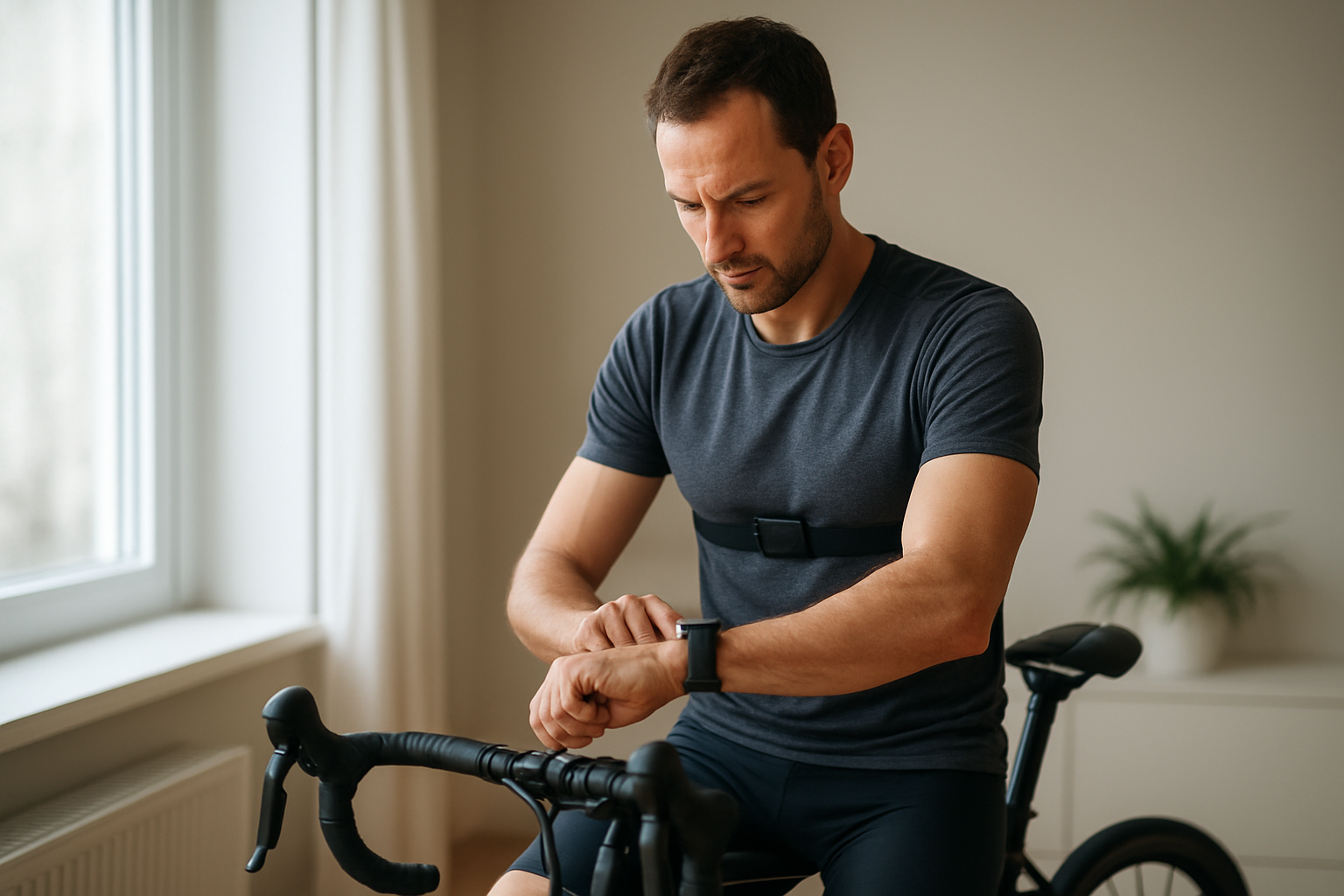
Before comparing brands or features, identify the sessions in which heart rate data will influence your decisions. A monitor used to keep an easy run genuinely easy has different requirements from one used to guide repeated threshold intervals.
- Steady running or cycling: most good wrist or arm-based sensors may be adequate when intensity changes gradually.
- Intervals and hill repeats: a chest strap is generally preferable because it responds quickly to changing effort.
- Rowing, strength circuits, or sports with wrist movement: chest straps often avoid some of the motion-related problems affecting wrist sensors.
- Swimming: check whether the device stores data internally, because live transmission can be limited in water.
- Multi-sport training: prioritize compatibility with your watch, bike computer, phone, or training platform.
Heart rate is a useful training signal, but it is not a complete measure of effort. Heat, dehydration, caffeine, illness, stress, medication, and fatigue can all affect the reading or your response to exercise. The American Heart Association’s target-heart-rate guidance is a general starting point, not a personalized prescription.
2. Compare the three main sensor types
Chest-strap monitors
A chest strap detects the heart’s electrical activity through electrodes against the skin. This approach is usually the strongest option when you need responsive data during fast intensity changes. Garmin explains that chest straps can provide greater accuracy in activities involving substantial movement, while Polar describes electrical chest-strap measurement as a reference-level approach for precise training data.
The limitations are practical. You must wear the strap correctly, maintain skin contact, keep the textile band clean, and replace or recharge the battery as required. Some athletes also find chest straps uncomfortable during long sessions or difficult to remember before leaving home.
Wrist-based optical monitors
Wrist sensors use light to estimate changes in blood volume beneath the skin. They are built into many sports watches, so they are convenient and useful for daily heart-rate trends, workouts, and health features.
However, fit and movement matter. Loose placement, cold skin, wrist flexion, gripping handlebars, rowing, push-ups, and rapid changes in effort can make readings less stable. Garmin recommends wearing a compatible watch snugly above the wrist bone and using a chest strap when heart-rate accuracy is critical.
Upper-arm optical monitors
An upper-arm sensor uses optical measurement but places the device where movement and blood-flow conditions may be easier to manage than at the wrist. It can be more comfortable than a chest strap for some users and may work well when a watch is being used for navigation or data display.
It is still an optical system, so it should not automatically be treated as equivalent to an ECG-style chest strap during every workout. Confirm its connection options and whether it can store a session without a phone or watch nearby.
Use this comparison table to match the sensor type to your training needs.
| Sensor type | What to look for | Main strength | Warning sign |
|---|---|---|---|
| Chest strap | Reliable skin contact, Bluetooth or ANT+, replaceable or rechargeable battery | Fast response during intervals and variable effort | Slipping, dry electrodes, or discomfort that makes you stop using it |
| Wrist optical | Secure fit, clear display, suitable workout profiles | Convenience and all-day monitoring | Erratic readings during wrist-heavy activities |
| Upper-arm optical | Adjustable band, internal memory, broad device compatibility | Comfortable alternative to wrist and chest placement | Limited app support or delayed data during hard intervals |
3. Check accuracy where it matters
No consumer heart rate monitor is perfect in every condition. Instead of asking whether a device is “accurate” in general, ask whether it remains dependable during your most important sessions.
For endurance athletes, the most important situations often include warm-up transitions, threshold intervals, climbs, recoveries, and the final part of a long workout. A monitor that lags during these changes may make zone-based training less useful even if its average reading looks reasonable afterward.
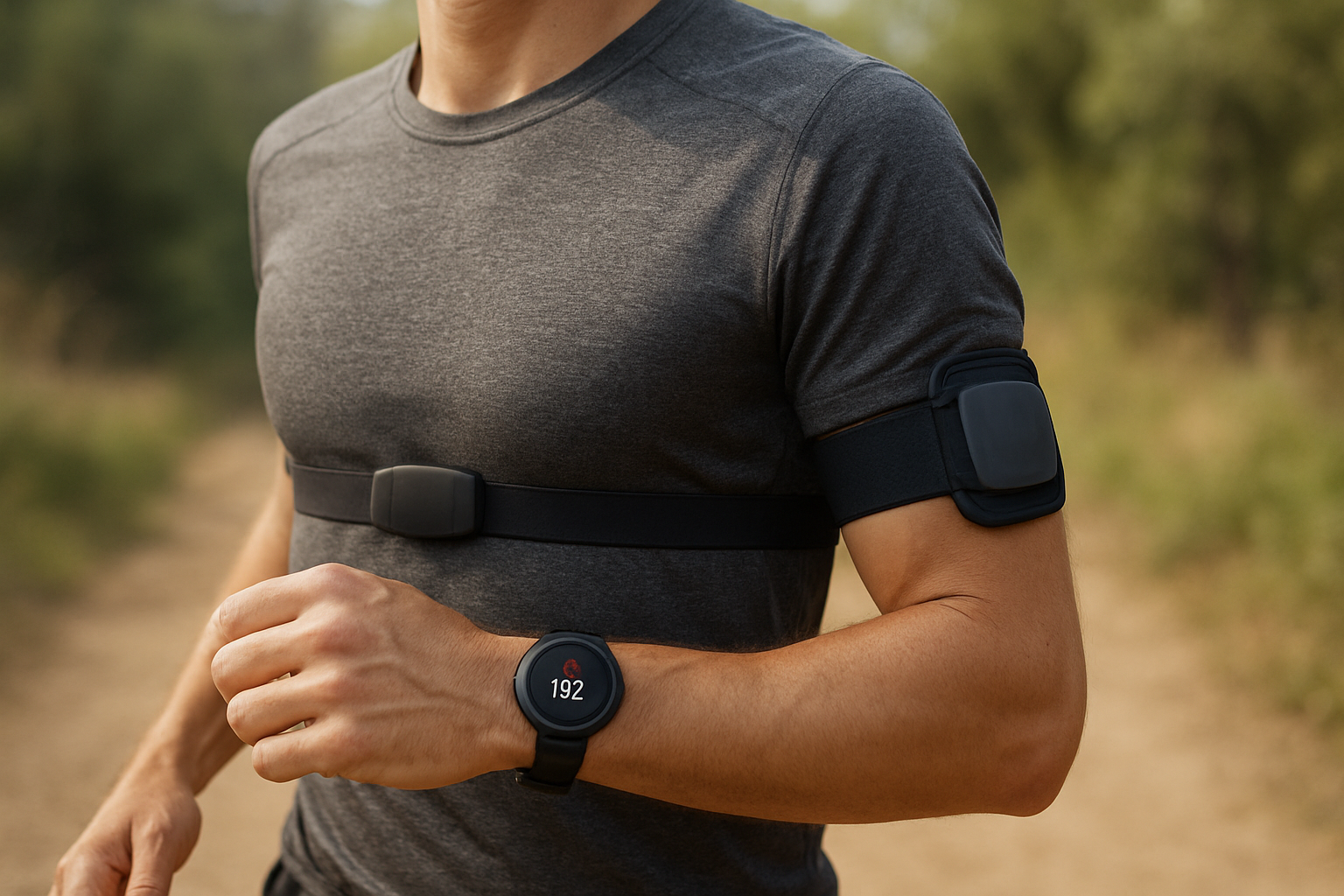
Optical sensors can be affected by motion artifacts, cold conditions, tattoos, fit, and pressure on the wrist. If you use a wrist device, wear it securely without restricting circulation, clean the sensor regularly, and allow time for your body to warm up. For additional practical guidance, see Garmin’s heart-rate accuracy and fit recommendations.
4. Evaluate connectivity and data handling
A monitor is only useful if it works with the equipment and software you already use. Before buying, check the exact connection standards rather than assuming that every sensor will pair with every device.
- Bluetooth: useful for phones, tablets, indoor-training apps, and many watches.
- ANT+: common in cycling computers, gym equipment, and some sports watches.
- Dual transmission: helpful when you want to connect to two devices at the same time.
- Internal memory: important for swimming or sessions where you do not want to carry a phone.
- App compatibility: verify support for your preferred training platform before purchase.
For example, the Polar H10 product information lists electrical measurement, dual Bluetooth, and session memory as part of its feature set. Treat those specifications as examples to verify, not as proof that one model is automatically best for you.
5. Weigh comfort, maintenance, and long-term use
The best monitor is the one you will wear consistently. A chest strap may provide excellent training data but deliver little value if you dislike putting it on. Likewise, a watch may be convenient but frustrating if it frequently loses contact during your workouts.
Practical comfort checks
- Can you wear it for the full length of your longest session?
- Does the band stay in place without rubbing or compressing the skin?
- Can you put it on correctly without consulting the manual every time?
- Is the sensor easy to clean and dry after training?
- Can you replace the battery or charge it with equipment you already own?
Chest-strap users should moisten the electrode areas before training, especially when the skin is dry. Clean the strap according to the manufacturer’s instructions and inspect it when readings become inconsistent. For troubleshooting advice, Polar recommends checking electrode contact, strap cleanliness, battery condition, and device compatibility.
6. Avoid common buying mistakes
- Buying for features you will not use: advanced running metrics are not helpful if your main goal is simple zone control.
- Ignoring compatibility: a monitor that cannot connect to your watch or app may require extra equipment.
- Assuming optical always means inaccurate: many optical sensors can be useful for steady training when fitted correctly.
- Assuming optical always means accurate enough: hard intervals and wrist-heavy activities can expose limitations.
- Choosing based only on battery claims: consider charging habits, replaceable batteries, and memory features.
- Using heart-rate zones without checking the basis: age-based estimates are general guides and may not match your measured maximum or threshold.
7. Troubleshooting: what if the readings look wrong?
If the reading jumps suddenly
Stop and check fit, sensor contact, and the selected activity profile. With a chest strap, wet the electrodes and reposition the sensor. With a wrist monitor, move it slightly above the wrist bone and tighten it enough to prevent movement.
If the reading stays unusually low
Cold skin, a dry chest strap, low battery, or poor contact may be responsible. Warm up gradually and compare the reading with how the effort feels. If readings remain abnormal or your symptoms concern you, stop exercising and seek appropriate medical advice.
If you feel unwell despite a normal reading
Do not rely on a wearable to rule out a health problem. Chest pain, fainting, severe breathlessness, unusual palpitations, or sudden weakness require prompt medical attention. A heart-rate monitor is a training tool, not a diagnostic device.
8. A practical buying checklist
- Identify your main sport and the sessions where accuracy matters most.
- Choose chest, wrist, or upper-arm placement based on your tolerance for setup and your movement pattern.
- Confirm Bluetooth, ANT+, memory, and app compatibility.
- Check how the device is powered and maintained.
- Look for clear return terms in case the fit does not work for you.
- Set training zones using a sensible method rather than blindly copying a default.
- Use perceived exertion and symptoms alongside the monitor’s data.
9. Which heart rate monitor is best for you?
Choose a chest strap if you train with intervals, race seriously, row, cycle indoors, or need rapid and dependable changes in heart rate. Choose a wrist-based monitor if convenience, watch features, and everyday tracking matter more than perfect responsiveness. Choose an upper-arm optical sensor if you want a less intrusive option and your training does not depend on immediate readings during very rapid intensity changes.
This heart rate monitors review for endurance training points to a conditional verdict: the most accurate format is not automatically the best purchase. Match the sensor to your sport, your hardest sessions, and the equipment you already use. If precise interval control is the priority, start with a compatible chest strap; if consistent everyday use is the priority, a well-fitted optical monitor may be the more practical choice.
For more training equipment guidance, visit the LaokFitness homepage or compare different conditioning approaches in rowing versus cycling for full-body cardio.